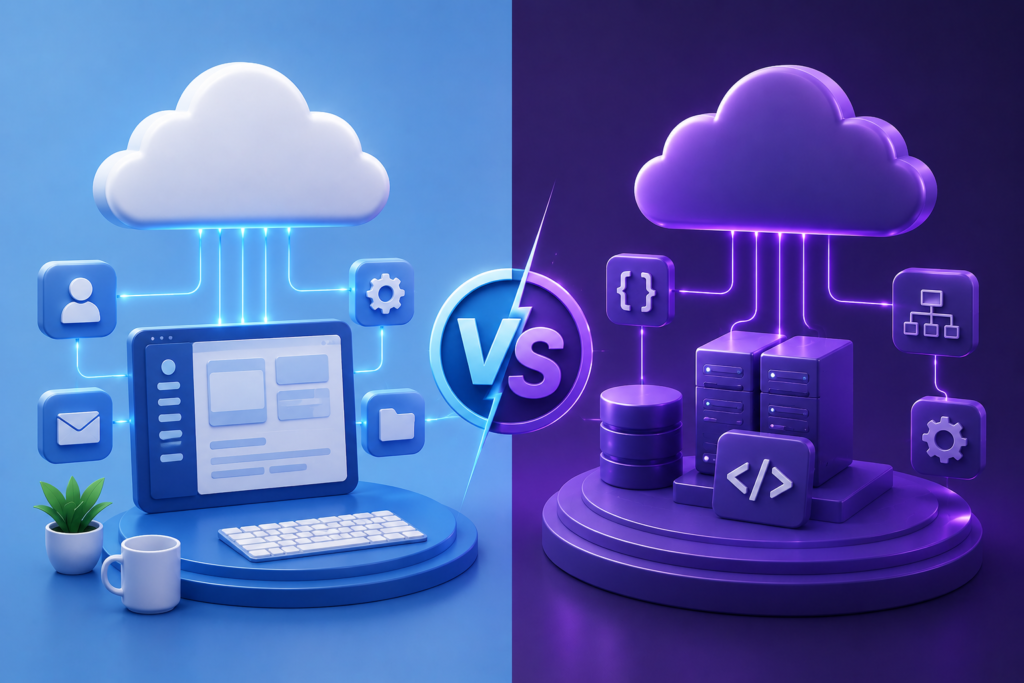
Choosing the right cloud service model can have a major impact on your business’s costs, flexibility, and long-term growth. Whether you’re looking for software that works out of the box or a platform to build custom applications, understanding the difference between SaaS (Software as a Service) and PaaS (Platform as a Service) is essential. While both are cloud-based solutions, they serve very different purposes and are designed for different users.
Although SaaS and PaaS are often mentioned together, they aren’t interchangeable. One is designed to help businesses use software immediately, while the other is built for creating and deploying custom applications. In this article, we’ll compare SaaS vs PaaS, explain their key differences, highlight their pros and cons, and help you determine which cloud model is the right fit for your business goals.
Table of Contents
ToggleWhat Is SaaS?
SaaS (Software as a Service) is a cloud computing model where a provider builds, hosts, and maintains a complete application, and you simply log in and use it. The National Institute of Standards and Technology (NIST), in its official cloud computing definition (SP 800-145), describes this model as one where the consumer doesn’t manage or control the underlying network, servers, operating systems, storage, or even most individual application settings.
In everyday terms, a business signs up, pays a subscription, and starts working. No installation. No server maintenance. No patch schedule to track.
SaaS platforms you probably already use every day:
- Google Workspace and Microsoft 365 for email and documents
- Salesforce and HubSpot for CRM
- Slack and Zoom for communication
- QuickBooks Online for accounting
According to IBM’s own breakdown of the SaaS market, industry analysts estimated the global SaaS market at close to $400 billion in 2024, with projections pushing it toward $819.23 billion by 2030. That growth tracks with what Gartner calls a “measured, optimization-driven trajectory” for SaaS in 2026, meaning the category is still growing, just not exploding the way it once did, as organizations get smarter about which subscriptions actually earn their seat.
What Is PaaS?
PaaS (Platform as a Service) hands developers a ready-made environment for building, testing, and deploying applications, without asking them to manage the servers, storage, or operating systems underneath. According to NIST, consumers deploy their own applications on the provider’s cloud infrastructure using supported programming languages, libraries, services, and tools, while the provider remains responsible for managing the underlying infrastructure.
Think of it as renting a fully equipped workshop instead of buying the building. You bring the blueprint and the labor. The PaaS provider brings the tools, the workbench, and the electricity.
PaaS providers and products that show up constantly in this space:
- Microsoft Azure App Service
- Google App Engine
- AWS Elastic Beanstalk
- Heroku
Gartner’s 2026 India cloud forecast actually calls PaaS the largest single spending category for Indian organizations this year, projected to reach $6.4 billion, as companies rebuild their technical foundations around AI-driven initiatives. That same report notes PaaS demand is climbing globally as enterprises lean on these environments to manage automated workflows and connect them into core applications.
Read also over blog : Top 10 SaaS Product Development Companies for Startups (2026)
SaaS vs PaaS: The Core Differences
Here’s where the paas vs saas differences get concrete. The fastest way to see them is side by side.
| Factor | SaaS | PaaS |
| What you get | A finished, ready-to-use application | A development and deployment environment |
| Who manages it | The provider handles everything | The provider manages infrastructure; you manage the app |
| Typical user | End users, business teams | Developers, DevOps engineers |
| Customization | Limited to settings and configurations | Control over application code and deployment |
| Setup time | Minutes | Days to weeks, depending on the build |
| Billing model | Per user, per seat, or flat subscription | Usage-based, tied to compute and storage |
| Best for | Running day-to-day business functions | Building custom software or internal tools |
Both models sit inside NIST’s broader cloud computing taxonomy alongside IaaS (Infrastructure as a Service), and all three share the same five characteristics NIST lists as core to cloud computing: on-demand self-service, broad network access, resource pooling, rapid elasticity, and measured service. The layer where your responsibility starts is really what separates them.
Who Actually Uses Each Model?
SaaS serves the person who needs a working tool today. A sales team doesn’t want to build a CRM. They want to open Salesforce and start logging calls. A marketing team doesn’t want to code an email platform. They want to open Mailchimp and send a campaign.
PaaS serves the person building something that doesn’t exist yet, or something too specific for an off-the-shelf tool to handle. A startup building a custom booking engine, a fintech company building a proprietary risk model, or an internal tools team building an employee portal. These teams need code-level control, and a PaaS platform gives them that without forcing them to also manage physical servers.
Cost: Which One Actually Costs Less?
This is where a lot of comparison articles get vague, so here’s the practical version. SaaS pricing is usually predictable. You pay per user or per tier, and you know your bill before the month starts. That predictability is exactly why finance teams like it.
PaaS costs scale with usage: compute hours, storage, bandwidth, and the number of environments running. A small internal tool might cost very little. A high-traffic custom application can cost significantly more once it scales, and the bill moves with your growth, not against a flat number.
Neither is “cheaper” in a universal sense. SaaS is cheaper for standard, repeatable business functions. PaaS becomes the better financial choice only when a business genuinely needs to build something custom that no SaaS product offers, because building that same thing entirely from scratch on raw infrastructure (IaaS) would cost far more in engineering time.
Pros and Cons of SaaS
Strengths:
- Fastest path from signup to working software
- Provider handles security patches, uptime, and updates
- Predictable, subscription-based cost
- No specialized technical staff required to run it
Trade-offs:
- Limited customization beyond what the vendor allows
- Data lives on the vendor’s infrastructure, which raises questions for some compliance-heavy industries
- Subscription costs stack up as headcount and tool count grow
Pros and Cons of PaaS
Strengths:
- Full flexibility to build exactly what the business needs
- Developers skip infrastructure setup and focus on code
- Scales well for custom, growing applications
Trade-offs:
- Requires developers who know the platform’s supported languages and frameworks
- Longer time to launch compared to SaaS
- Usage-based billing can be harder to predict month to month
SaaS and PaaS in 2026: What the Market Data Shows
The direction of the market backs up this recommendation. Gartner’s 2026 cloud forecast for India lists PaaS as the top spending category there, driven mostly by enterprises retooling around AI, while separate 2026 Gartner data for Australia shows SaaS remaining the largest overall spending category for organizations, even as its growth rate slows to a more mature 13.8% as businesses tighten which subscriptions they keep. Globally, Gartner’s broader research on the public cloud market describes SaaS spending as reflecting a “measured, optimization-driven trajectory” for the year, while PaaS momentum is described as being supported by rising orchestration needs tied to AI workflows.
Put simply: PaaS is growing fast in specific, AI-driven, developer-heavy pockets of the market. SaaS remains the largest, most stable, and most widely adopted category overall, because it solves the problem most businesses actually have, which is running day-to-day operations without hiring a development team.
If your team is scaling its content or marketing operations around SaaS products specifically, our 7-step content marketing guide for SaaS and our roundup of digital marketing strategies for SaaS companies go deeper into that side of the business.
SaaS vs PaaS: Which Should You Choose?
Ask three questions before deciding:
- Does a ready-made tool already solve this problem? If yes, SaaS wins almost every time. Rebuilding a CRM, an email platform, or an accounting system from scratch rarely makes financial sense when mature SaaS options already exist.
- Do you have in-house developers who need to ship custom software? If yes, and the requirement is specific enough that no SaaS product fits, PaaS becomes the right tool.
- How fast do you need to be live? SaaS gets a team running in minutes. PaaS demands a build cycle first.
For the overwhelming majority of businesses, especially small and mid-sized companies, SaaS is the smarter default. It removes infrastructure headaches entirely, keeps costs predictable, and gets teams productive immediately instead of waiting on a development cycle. PaaS earns its place only in the narrower case where a business is actually building proprietary software, and even then, many of those same companies still run their sales, support, and finance operations on SaaS tools sitting right next to whatever they build on a PaaS platform.
If you’re comparing tools to run your actual business rather than build new software, start with what a mature SaaS platform can already do. Our guide on what SaaS is and how it works breaks down the model in more depth, and if you’re specifically choosing a CRM, how to choose the right CRM for your business walks through that decision step by step.
Common Mistakes When Choosing Between SaaS and PaaS
Even after weighing the factors above, teams still trip over the same handful of mistakes.
Choosing PaaS because it “feels” more scalable. Scalability is not automatically a PaaS advantage. Most mature SaaS platforms, especially the well-known ones like Salesforce or Google Workspace, already scale to thousands of users without any extra engineering work from your side. Picking PaaS for scalability alone, when a SaaS tool already handles the same load, just adds unnecessary development overhead.
Underestimating the developer time a PaaS build actually needs. A PaaS platform removes infrastructure work, not development work. Teams sometimes assume “no server management” means “fast launch,” then get surprised when the application itself still takes months to build, test, and secure.
Picking a SaaS tool and expecting deep customization later. SaaS is built for configuration, not custom code. If a business signs up for a SaaS product assuming it can later bend the tool into something highly specific, that mismatch usually surfaces only after the team is already dependent on the tool.
Ignoring where the data actually lives. Both models raise data residency and compliance questions, but in different ways. With SaaS, data sits on the vendor’s infrastructure under the vendor’s terms. With PaaS, the business controls the application and its data more directly, but still depends on the provider’s underlying infrastructure. Skipping this check before signing a contract is a common and avoidable mistake, particularly for regulated industries.
Comparing sticker price instead of total cost. A SaaS subscription looks like the bigger number on paper next to a small PaaS usage bill. But that PaaS bill doesn’t include developer salaries, build time, or ongoing maintenance, which is where the real cost usually hides.
Frequently Asked Questions
Is PaaS cheaper than SaaS?
Not universally. SaaS is cheaper for standard business functions since it runs on predictable subscription pricing. PaaS costs scale with usage, so it can be cheaper for small custom projects but more expensive as usage grows.
Can a business use SaaS and PaaS together?
Yes, and most do. A company might run its CRM and email on SaaS tools while using a PaaS environment to build one custom internal application that no off-the-shelf product covers.
What’s a simple example of SaaS vs PaaS?
Salesforce is SaaS. You log in and use a finished CRM. Heroku or Google App Engine is PaaS. You deploy your own custom-built application onto their infrastructure.
Which one is easier for a non-technical team to use?
SaaS, without question. PaaS assumes the user has development skills, since it’s built for deploying and managing custom code.
Is PaaS a type of SaaS?
No. They’re two separate service models under NIST’s cloud computing taxonomy. PaaS gives developers a platform to build and deploy their own applications, while SaaS delivers a finished application that end users simply log into.
Do I need developers to use PaaS?
Yes. A PaaS platform is built for people who write and deploy code. NIST’s own definition of the model assumes the consumer is deploying applications “created using programming languages, libraries, services, and tools” the provider supports, so it isn’t designed for non-technical users.
Is IaaS the same as PaaS?
No. IaaS (Infrastructure as a Service) provides raw computing resources like servers, storage, and networking, and the customer manages everything above that, including the operating system. PaaS goes a layer further and also manages the operating system and runtime, leaving the customer to focus only on their application code.
Which model is more secure, SaaS or PaaS?
Security responsibility just sits in different places. With SaaS, the provider secures nearly the entire stack, including the application itself. With PaaS, the provider secures the underlying infrastructure and platform, but the business is still responsible for securing the code and data inside the application it builds.
Is PaaS growing faster than SaaS in 2026?
In some regions, yes. Gartner’s 2026 forecast lists PaaS as the largest cloud spending category in India this year, driven by AI-related rebuilding of technical foundations. But globally, SaaS still holds the largest overall share of cloud spending, even as its growth rate matures.
Can a small business afford PaaS?
Yes, since PaaS billing is usage-based rather than a large upfront infrastructure investment. A small business testing a lightweight custom tool can start small and only pay for the computer and storage it actually uses, though costs will rise as usage grows.
Conclusion
When comparing SaaS vs PaaS, there isn’t a single winner for every situation. However, SaaS is the better choice for most businesses. It provides the fastest way to start using software, offers predictable subscription costs, requires minimal maintenance, and doesn’t demand a dedicated development team. Instead of investing time and resources into building and managing applications, businesses can focus on their core operations.
PaaS is still a valuable option for organizations that need to develop custom applications or proprietary software. It gives developers the flexibility to build exactly what they need while leaving infrastructure management to the provider. However, this level of control also comes with higher technical requirements, longer development timelines, and more variable costs.
For startups, small businesses, and many growing companies, SaaS is generally the better fit for most small and medium-sized businesses. . It combines ease of use, scalability, reliability, and cost efficiency in a way that meets the needs of most organizations. If your objective is to improve productivity and run your business more efficiently, choosing a trusted SaaS solution is usually the smartest long-term decision.