Retail stores manage countless daily tasks, from merchandising and inventory checks to promotions, compliance, and employee assignments. As businesses expand across multiple locations, managing these activities through spreadsheets, emails, and messages can become difficult.
Retail task management software centralizes task assignment, tracking, and verification, helping teams improve store execution and operational consistency. In this guide, we compare five leading platforms for 2026: YOOBIC, WorkJam, Wooqer, Opterus OPSCENTER, and Zipline.
What Is Retail Task Management Software?
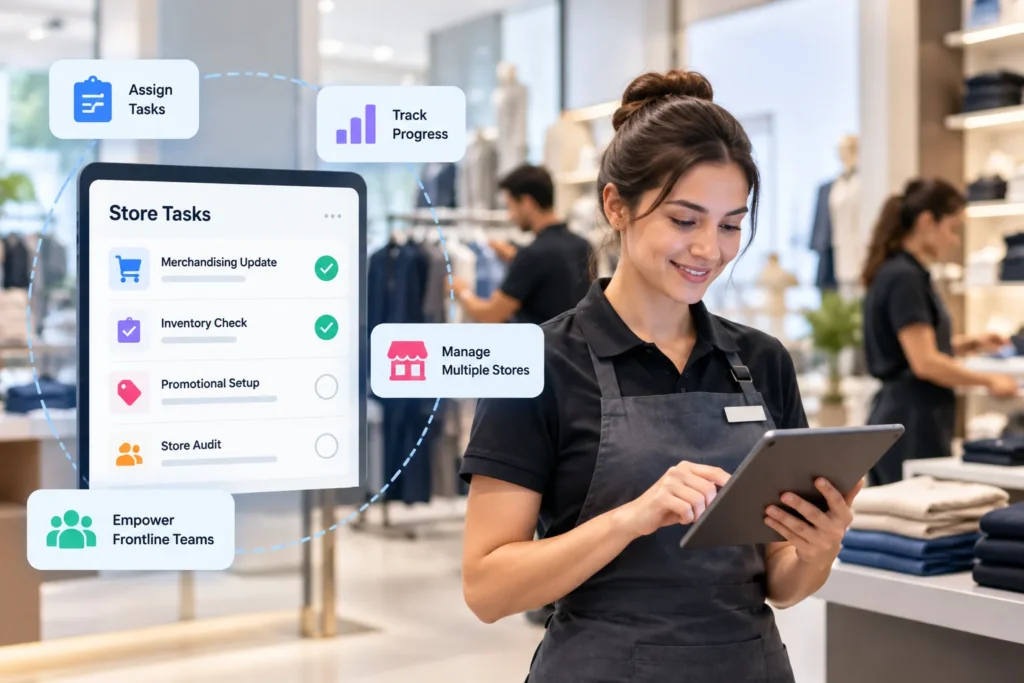
Retail task management software is designed to help retailers organize and coordinate the work performed across their stores and frontline teams.
A headquarters team might create a task for a new promotional campaign and assign it to hundreds of stores. Each store can receive the relevant instructions, complete the work, update its status, and provide proof when required. Regional managers can then monitor execution without contacting every location individually.
This is different from ordinary task management because retail environments have specific operational requirements. Employees may be working on the sales floor, moving between departments, serving customers, and completing tasks during specific shifts.
A retail-focused platform can therefore combine task management with:
- Store checklists
- Employee assignments
- Recurring workflows
- Store audits
- Visual merchandising
- Compliance activities
- Mobile task completion
- Photo verification
- Store communication
- Operational reporting
The main purpose is to connect what headquarters plans with what actually happens inside each store.
Why Retailers Need Task Management Software
As a retailer grows, operational consistency becomes increasingly difficult to maintain.
Imagine a company launching a weekend promotion across 150 stores. Headquarters needs every location to update displays, change promotional signage, check inventory, train employees, and confirm execution before the campaign begins.
Without a centralized system, managers may need to communicate through several channels and manually collect updates. Some stores may finish early, some may forget a task, and others may complete the work incorrectly.
Retail task management software creates a more structured workflow.
Better Visibility Across Stores
Regional managers can see the progress of multiple locations from a centralized dashboard instead of waiting for individual updates.
More Consistent Store Execution
Standardized tasks and checklists help ensure that stores follow the same operational procedures.
Less Manual Follow-Up
Automated reminders and task status updates reduce the amount of time managers spend asking whether work has been completed.
Faster Response to Operational Problems
When a store misses an important task, managers can identify the issue and take corrective action sooner.
This becomes particularly valuable for retailers with many locations, frequent promotions, seasonal campaigns, and large frontline workforces.
What Features Should Retailers Look For?
Choosing retail task management software should involve more than comparing the number of features listed on vendor websites. The platform needs to fit the way employees actually work inside stores.
Task Assignment and Scheduling
The software should allow managers to assign work according to store, employee, role, department, region, or other operational requirements.
Recurring tasks are also important. Opening procedures, cleaning checks, inventory activities, and weekly inspections should not need to be recreated manually every time.
Mobile Task Management
Frontline retail employees generally do not spend their shifts sitting at a desk.
A good mobile experience should allow employees to:
- View assigned tasks
- Read instructions
- Update task status
- Upload photos
- Complete checklists
- Receive notifications
- Add comments or evidence
The easier the process is, the more likely employees are to use the platform consistently.
Real-Time Task Tracking
Managers need to know what is happening now, not what happened several days ago.
Real-time dashboards can show completed, pending, overdue, and in-progress tasks. This makes it easier to identify stores or teams that require assistance.
Digital Checklists
Digital checklists are particularly useful for repetitive retail operations.
Examples include opening and closing procedures, safety checks, merchandising inspections, inventory routines, and promotional setup.
Proof of Completion
Simply clicking “complete” may not be enough for important operational tasks.
Depending on the workflow, retailers may need photographs, timestamps, comments, digital sign-offs, or audit records to verify that work was completed correctly.
Reporting and Analytics
Task management data can become valuable operational intelligence.
Retailers can analyze completion rates, overdue tasks, store performance, audit results, and recurring operational problems. These insights can help regional managers identify where additional training or process changes may be needed.
Integrations
Retail task management software may need to connect with existing systems such as:
- Workforce management
- Employee scheduling
- HR management software
- Multi-store POS software
- Inventory systems
- Learning management platforms
- Business intelligence tools
- Communication systems
Integration requirements should be identified before selecting a platform. Retailers may also need to connect task workflows with ERP software and CRM software already used across the business.
5 Best Retail Task Management Software in 2026
The five platforms below were selected because they have a strong focus on retail operations and provide capabilities relevant to task management, frontline execution, store communication, or multi-location retail management.
1. YOOBIC
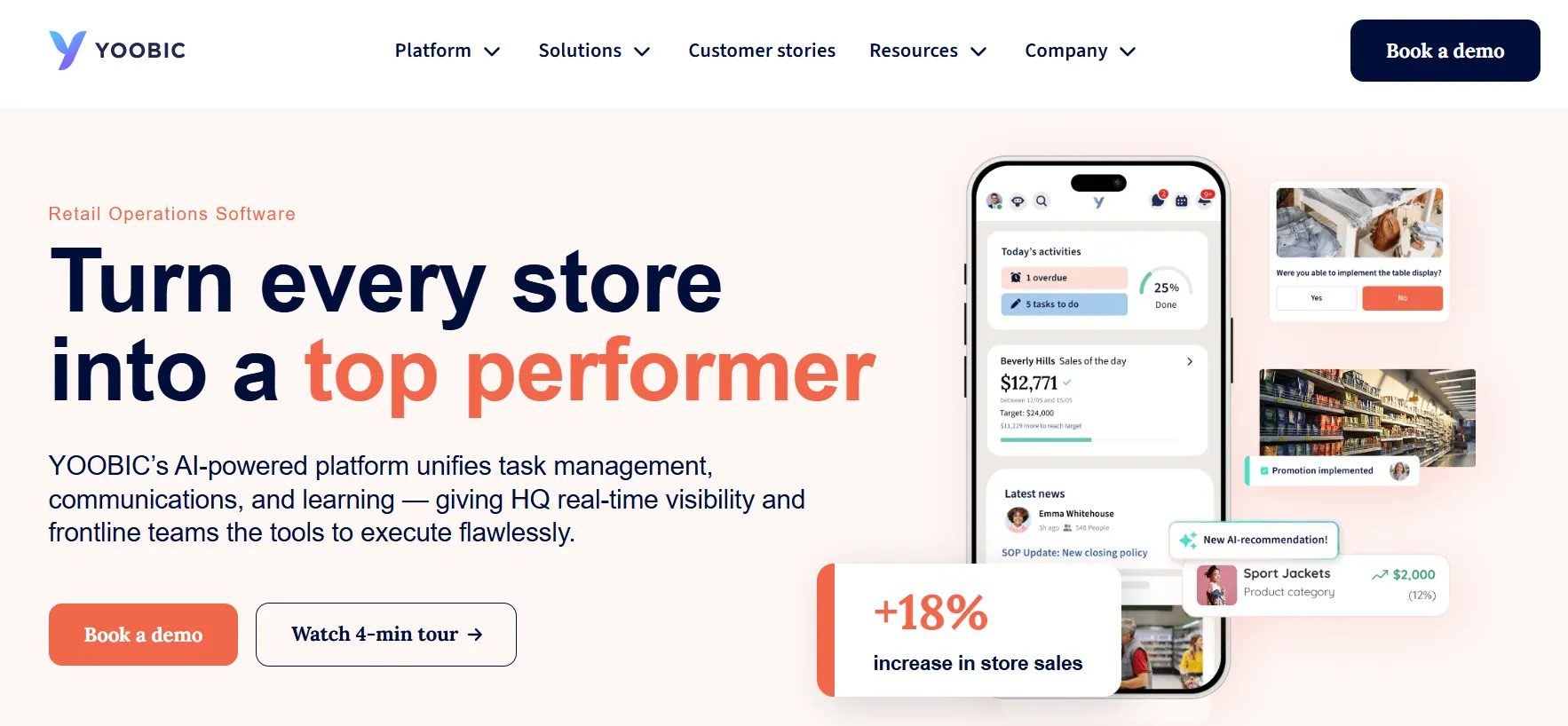
YOOBIC is a retail operations platform that brings task management together with frontline communication, learning, analytics, and operational workflows.
The platform is particularly relevant to retailers that need to coordinate activities across multiple locations while maintaining consistent operational standards.
Key YOOBIC Features
- Retail task management
- Task assignment and tracking
- Recurring workflows
- Store audits
- Digital checklists
- Mobile task execution
- Photo-based validation
- Frontline communication
- Analytics and reporting
- AI-supported operational insights
One of YOOBIC’s biggest advantages is the broader operational environment around its task management capabilities. Retailers can connect tasks with training, communication, audits, and store execution rather than treating every activity as an isolated assignment.
This can be useful for large retailers where a single initiative may involve multiple teams and locations.
Who Should Use YOOBIC?
YOOBIC is particularly suitable for:
- Enterprise retailers
- Large multi-location businesses
- Retail brands with complex frontline workflows
- Organizations focused on store execution and compliance
Pros
- Strong retail-specific functionality
- Comprehensive frontline operations capabilities
- Mobile-oriented workflows
- Task and execution visibility
- Broad operational functionality
Cons
- May be more complex than necessary for a small retailer
- Enterprise software typically requires a sales-led evaluation
Verdict
YOOBIC is a strong overall option for retailers looking for more than basic task tracking. Its combination of task management, communication, learning, analytics, and store execution makes it particularly suitable for complex retail organizations.
2. WorkJam
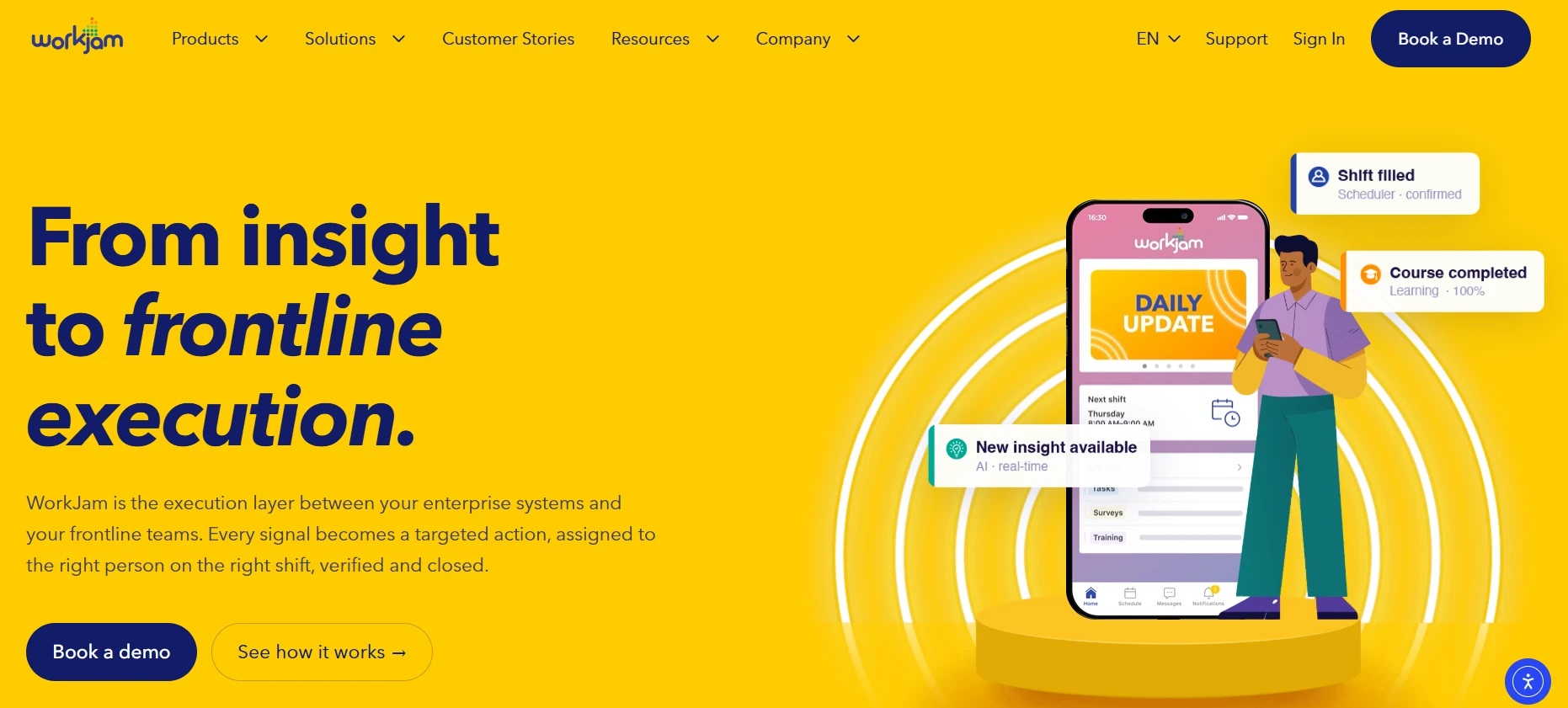
WorkJam combines retail task management with broader frontline workforce capabilities. Its platform connects task execution with employee communication, scheduling, learning, and workforce operations.
This approach can be particularly useful for retailers where task assignments are closely connected to employee shifts and frontline responsibilities.
Key WorkJam Features
- Retail task management
- Task assignment
- Store audits
- Workforce scheduling
- Employee communication
- Learning and training
- Task verification
- Operational analytics
- Mobile workforce tools
One notable capability is the connection between tasks and frontline workforce operations. Instead of treating task assignment as a separate activity, retailers can connect work with the employees and shifts responsible for completing it.
WorkJam has also moved further into AI-powered frontline operations during 2026, with capabilities designed to automate task assignment and dynamically prioritize work based on changing operational conditions.
Who Should Use WorkJam?
WorkJam is a strong candidate for:
- Enterprise retailers
- Large frontline workforces
- Multi-location retail chains
- Businesses already focused on workforce management
Pros
- Strong frontline workforce capabilities
- Retail-focused task management
- Communication and scheduling integration
- Enterprise scalability
- Growing AI capabilities
Cons
- May be more than smaller retailers require
- Implementation can require more planning for complex organizations
Verdict
WorkJam is particularly attractive for retailers that want task management to work alongside employee scheduling, communication, training, and workforce operations.
3. Wooqer
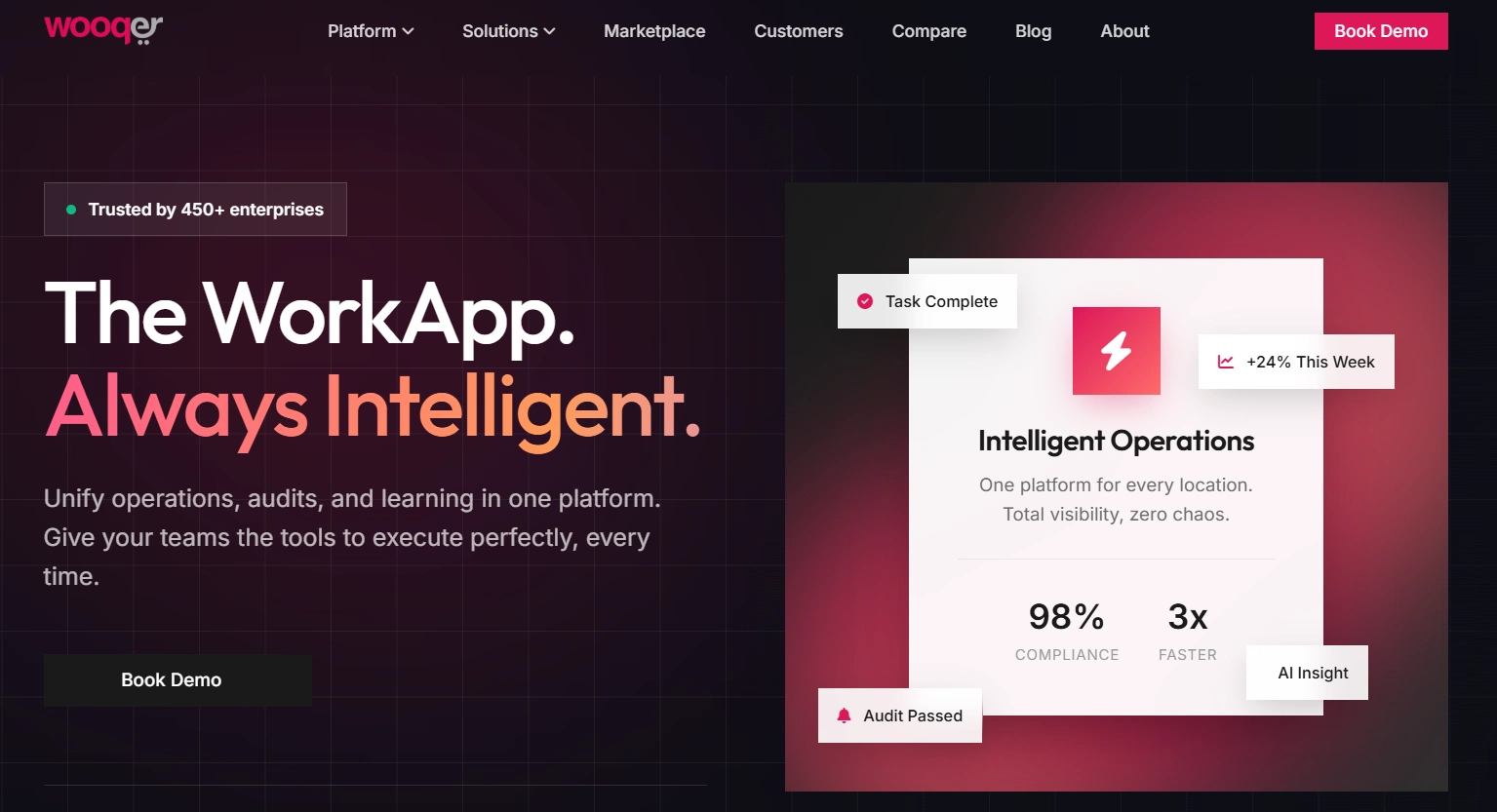
Wooqer is focused on retail operations and helps businesses manage processes across multiple locations.
Its approach is useful for retailers that need to convert operational procedures into repeatable digital workflows. Instead of relying on managers to remember every step, businesses can create structured processes that stores can follow.
Key Wooqer Features
- Task management
- Digital workflows
- Store checklists
- Retail audits
- SOP management
- Store communication
- Operational monitoring
- Performance tracking
- Mobile workflows
Wooqer is particularly interesting for retailers that are trying to move away from spreadsheets, paper-based processes, and fragmented communication.
For example, a retail chain can create a standardized process for opening a store, conducting a merchandising check, or preparing for a promotional campaign.
Who Should Use Wooqer?
Wooqer can be a good fit for:
- Growing retail chains
- Franchise businesses
- Multi-location retailers
- Retail operations teams
- Businesses standardizing store processes
Pros
- Strong focus on retail workflows
- Useful for process standardization
- Suitable for multi-location operations
- Mobile-oriented approach
Cons
- Businesses with very simple workflows may not need its full capabilities
- Advanced requirements may require vendor consultation
Verdict
Wooqer is a good option for retailers that want to turn operational procedures into structured workflows and improve consistency across locations.
4. Opterus OPSCENTER
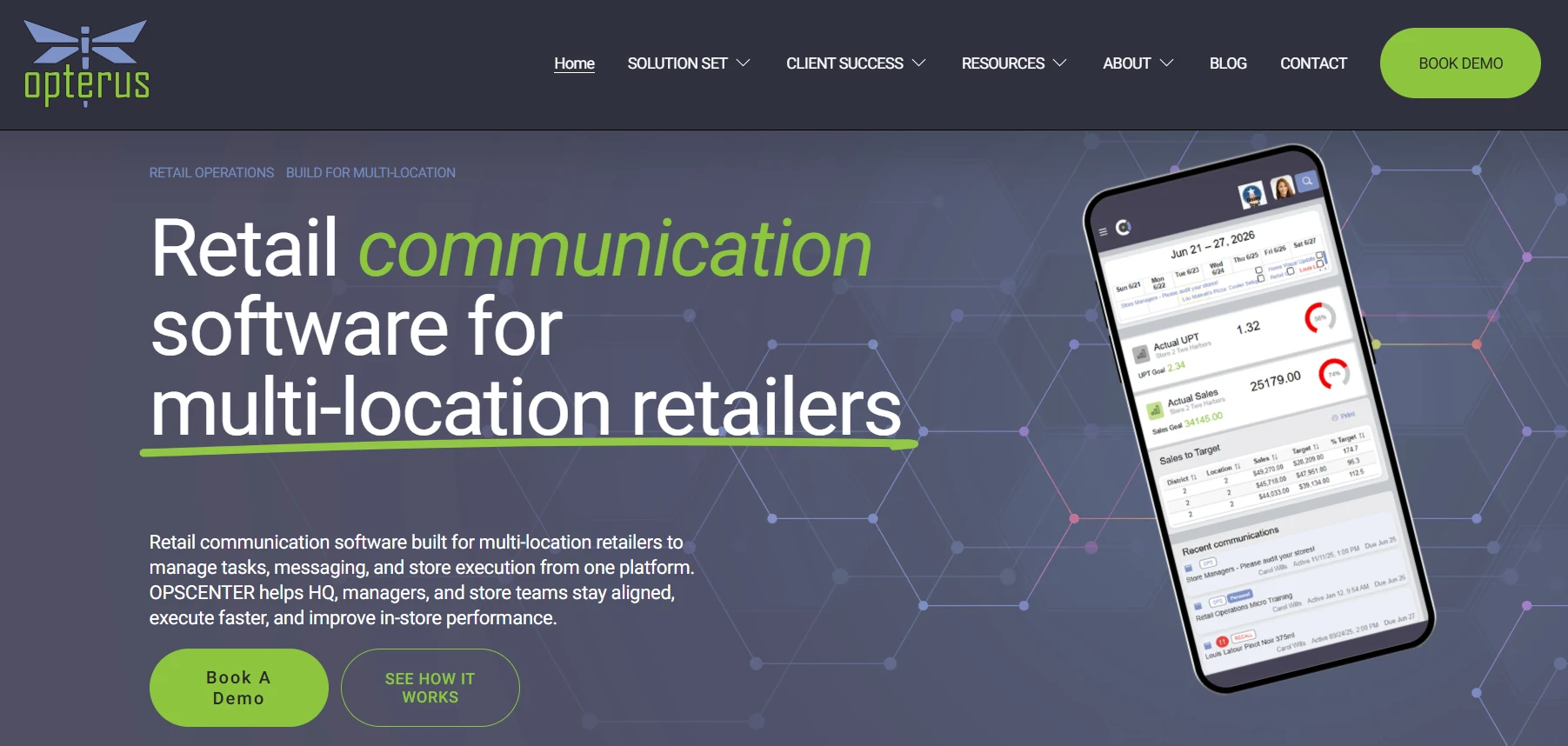
OPSCENTER from Opterus is designed specifically around multi-location retail operations. Its platform brings together task management, store communications, dashboards, calendars, planograms, visual merchandising reviews, and other operational capabilities.
This makes OPSCENTER particularly relevant to retailers where store execution is a major priority.
Key OPSCENTER Features
- Task Manager
- Store communications
- Operational dashboards
- Calendar management
- Planograms
- Visual merchandising reviews
- Store execution
- Operational reporting
- Configurable workflows
The Task Manager is designed around structured actions that stores need to complete, while other parts of the platform help retailers manage communication and visual execution.
The combination is useful when a retail initiative involves both instructions and physical changes inside a store.
For example, a retailer launching a new product display may need to distribute instructions, assign store-level work, confirm completion, and review whether the display follows the expected standard.
Who Should Use OPSCENTER?
OPSCENTER is worth considering for:
- Multi-location retail chains
- Store operations teams
- Merchandising teams
- Retailers managing planograms
- Businesses focused heavily on store execution
Pros
- Built specifically for retail
- Strong store execution capabilities
- Task management and communication in one environment
- Visual merchandising functionality
- Multi-location support
Cons
- More focused on structured retail operations than general task management
- Best suited to organizations with established operational processes
Verdict
OPSCENTER is a strong choice for retailers that want task management connected directly with store execution, visual merchandising, communication, and operational oversight.
5. Zipline
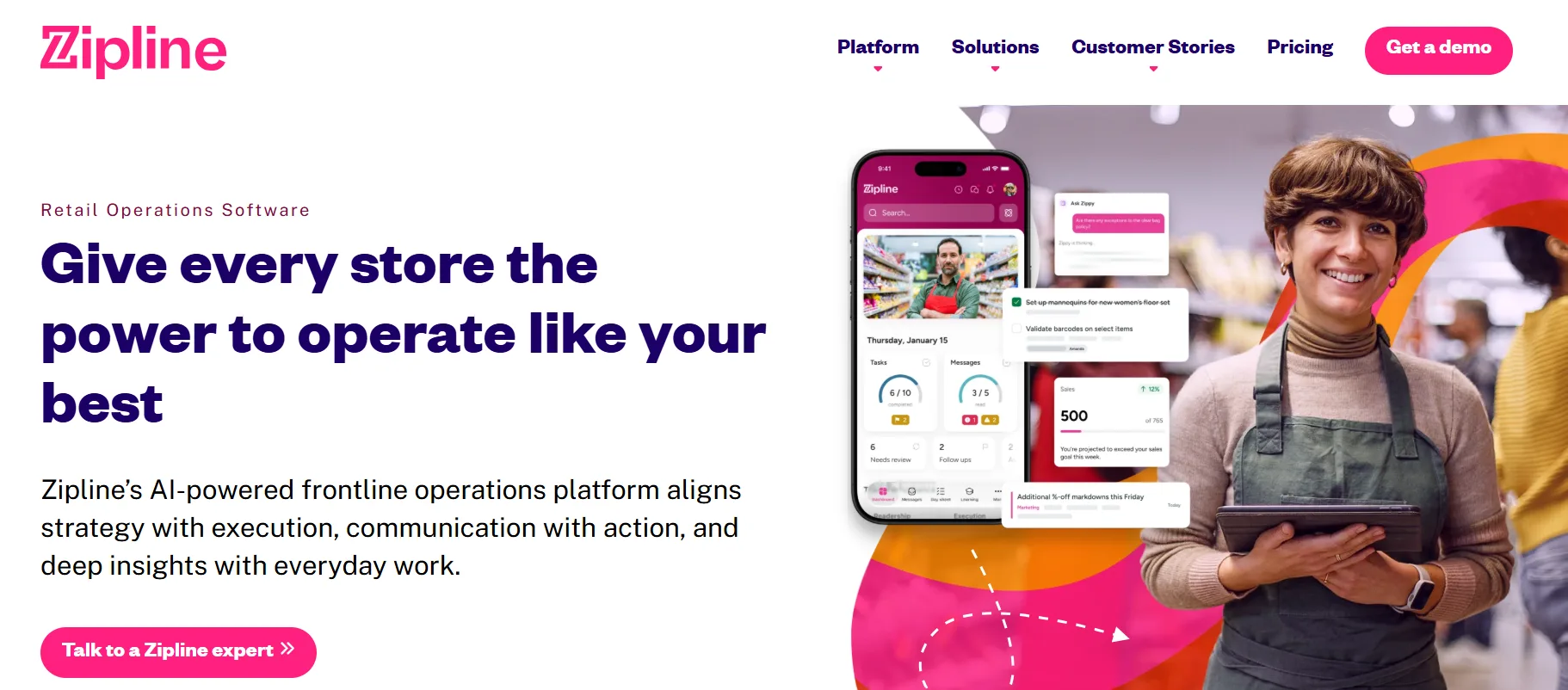
Zipline focuses on connecting headquarters with store teams. Its platform combines communication, task management, learning, and operational information so frontline employees can understand priorities and complete assigned work.
This is particularly useful because retail communication can become fragmented when companies rely heavily on email, messaging groups, and separate task systems.
Key Zipline Features
- Task assignment
- Recurring tasks
- Store communication
- Task tracking
- Frontline workflows
- Operational insights
- Workforce-aware task assignment
- Mobile access
Zipline’s 2026 product development has included schedule-aware task assignment, which connects task distribution with workforce scheduling information.
That approach can help retailers assign work based on who is actually working at a particular time rather than simply sending the same task to an entire store.
Who Should Use Zipline?
Zipline is particularly relevant to:
- Growing retail brands
- Multi-location retailers
- Store managers
- Frontline teams
- Retailers that want communication and task management together
Pros
- Retail-specific platform
- Strong communication capabilities
- Task management and execution
- Mobile-friendly frontline workflows
- Workforce-aware functionality
Cons
- Larger organizations may require a more extensive implementation
- Pricing is generally handled through the vendor
Verdict
Zipline is a strong choice for retailers that want to bring store communication and operational task management together while maintaining visibility across frontline teams.
Retail Task Management Software Comparison
| Software | Best For | Retail Focus | Multi-Store | Mobile | Reporting |
| YOOBIC | Overall retail operations | High | Yes | Yes | Yes |
| WorkJam | Frontline workforce | High | Yes | Yes | Yes |
| Wooqer | Process standardization | High | Yes | Yes | Yes |
| OPSCENTER | Store execution | High | Yes | Yes | Yes |
| Zipline | Communication and task execution | High | Yes | Yes | Yes |
The comparison shows that all five platforms are designed around retail environments, but their strengths are different. Retailers should therefore avoid choosing a platform simply because it has the longest feature list.
The better approach is to identify the operational problem first and then select the platform that addresses it most effectively.
Which Retail Task Management Software Is Best for Your Business?
Best Overall: YOOBIC
YOOBIC is a strong choice when you need a broad retail operations platform that combines task management with communication, training, audits, analytics, and frontline execution.
It is especially appropriate for larger retailers with complex operational structures.
Best for Enterprise Frontline Teams: WorkJam
WorkJam is a strong fit when workforce scheduling, employee communication, training, and task execution need to operate together.
Its growing AI capabilities also make it relevant for retailers exploring automated frontline operations.
Best for Retail Workflow Management: Wooqer
Wooqer is suitable when the primary objective is standardizing store processes and turning operational procedures into repeatable workflows.
Best for Store Execution: OPSCENTER
OPSCENTER is particularly relevant when merchandising, planograms, store communications, and operational execution are central to your requirements.
Best for Communication and Task Execution: Zipline
Zipline is a good option for retailers that want to connect headquarters communication with frontline tasks and store-level execution.
Retail Task Management Software vs. General Task Management Software
A general task management application can work for simple business workflows, but retail environments often require capabilities that traditional project management platforms do not prioritize.
For example, a store employee may need to complete a task during a specific shift, upload a photograph from the sales floor, follow a standardized checklist, or receive instructions relevant only to their location.
Retail-focused software is designed around these operational conditions.
| Retail Task Management | General Task Management |
| Store-level assignments | General team assignments |
| Retail checklists | Project checklists |
| Store audits | Project reviews |
| Visual merchandising | General file sharing |
| Frontline communication | Team communication |
| Multi-location execution | Department or project management |
| Photo verification | Attachments |
| Store performance | Project reporting |
General software is not automatically the wrong choice. A small retailer with limited operational complexity may be able to use a conventional task management platform.
However, once a retailer operates multiple locations, has large frontline teams, or manages frequent store campaigns, retail-specific functionality can become much more valuable.
How Much Does Retail Task Management Software Cost?
Retail task management pricing varies considerably between vendors. Because many platforms are delivered as cloud-based SaaS software, retailers should evaluate the subscription model alongside implementation and ongoing operating costs.
Enterprise platforms often use customized pricing rather than publishing a standard monthly rate.
The final cost may depend on factors such as:
- Number of stores
- Number of employees
- Required modules
- Integrations
- Implementation requirements
- Support services
- Contract length
Retailers should therefore avoid comparing vendors only by subscription price.
A platform that costs more but saves significant manager time, improves compliance, reduces operational errors, and increases store execution may provide greater value than a cheaper system with limited functionality.
When evaluating vendors, calculate the potential total cost of ownership and compare it with measurable operational improvements.
How to Choose the Right Retail Task Management Software
Start by identifying the problems your stores experience today.
If managers spend hours following up on incomplete work, prioritize task tracking and automated reminders. If store execution is inconsistent, look for standardized workflows, checklists, audits, and proof of completion.
Consider These Questions Before Buying
- How many stores do you operate?
- How many frontline employees will use the system?
- Do employees primarily work on mobile devices?
- Do you need photo verification?
- Do you manage recurring store checklists?
- Do regional managers need centralized reporting?
- Which existing systems need to be integrated?
- How much customization will your workflows require?
- Will the platform support future store expansion?
The answers will help narrow down the right type of platform.
How to Implement Retail Task Management Software
Buying the software is only the first step. Implementation determines whether store teams actually adopt it.
Start with a small number of high-value workflows. Instead of migrating every operational process at once, begin with tasks that cause the most problems, such as opening procedures, promotional launches, merchandising checks, or compliance inspections.
Then create clear task instructions. Employees should understand exactly what needs to be done, when it needs to be completed, and what counts as successful completion.
Store managers should also receive practical training before the system is rolled out across the organization.
Once the software is live, monitor adoption and task completion. If employees regularly ignore certain tasks, investigate the reason instead of simply adding more reminders.
The problem may be unclear instructions, excessive workload, poor scheduling, or a workflow that does not match real store conditions.
KPIs to Measure After Implementation
Retailers should measure whether the software is actually improving operations.
Task Completion Rate
This shows the percentage of assigned work completed within the expected timeframe.
Overdue Task Rate
This identifies how frequently tasks miss their deadlines and can help reveal operational bottlenecks.
Store Execution Score
Retailers can combine task completion, audit results, merchandising checks, and compliance measurements to compare locations.
Time to Completion
Tracking how long tasks take can reveal inefficient procedures or workflows that need to be redesigned.
Compliance Rate
For regulated or highly standardized retail operations, compliance measurements can show whether stores are following required procedures.
These metrics should be reviewed over time rather than treated as one-time measurements.
How Retail Task Management Software Can Improve ROI
The financial value of task management software is not limited to saving time.
Better execution can help retailers reduce missed promotional opportunities, improve merchandising consistency, reduce manual administrative work, and identify operational problems earlier.
Consider a retailer with 200 stores. If managers spend even a small amount of time every day manually checking task completion, the total administrative burden can become substantial.
A centralized platform can reduce some of that manual coordination while giving headquarters greater visibility.
The most useful ROI analysis should therefore look at several factors:
- Manager time saved
- Reduction in overdue tasks
- Improved compliance
- Better promotional execution
- Reduced administrative work
- Improved store consistency
- Faster issue resolution
Common Mistakes When Choosing Retail Task Management Software
Choosing Based Only on Features
A platform with dozens of features is not necessarily better. The software must match the actual workflow of your stores.
Ignoring Mobile Usability
If employees find the mobile application difficult to use, adoption can suffer regardless of how powerful the platform is.
Forgetting Integrations
A disconnected task system can create duplicate work. Check whether the software can integrate with the systems your business already depends on.
Making Every Task Mandatory
Adding too many tasks can overwhelm frontline employees. Prioritize work based on operational importance.
Ignoring Change Management
Employees need to understand why the platform is being introduced and how it will improve their daily work.
What Is the Future of Retail Task Management Software?
Retail task management is moving beyond simple digital checklists.
In 2026, vendors are increasingly connecting task management with artificial intelligence, workforce information, operational analytics, visual verification, and dynamic prioritization.
The next generation of retail software is expected to help managers determine not only whether a task was completed, but also which task should receive attention next.
For example, operational data could identify a store experiencing inventory problems, staffing shortages, declining sales, or compliance issues. Instead of requiring a manager to manually analyze several dashboards, intelligent systems can surface the most important action.
This creates a shift from reactive task tracking to proactive store execution.
Frequently Asked Questions
1. What is retail task management software?
Retail task management software helps businesses assign, organize, track, and verify operational work across stores and employees. It can manage activities such as merchandising, inventory checks, compliance inspections, store opening procedures, promotions, and recurring workflows while giving headquarters and regional managers better visibility into store-level execution.
2. What is the best retail task management software in 2026?
There is no single platform that is best for every retailer. YOOBIC is a strong overall option, while WorkJam suits enterprise frontline operations. Wooqer focuses on retail workflows, OPSCENTER emphasizes store execution, and Zipline combines communication with task management. The right choice depends on business size and operational requirements.
3. How does retail task management software improve store operations?
It creates a centralized system for assigning and monitoring work instead of relying on disconnected spreadsheets, messages, emails, and paper checklists. Managers can track completion, identify overdue tasks, standardize procedures, and respond to problems faster. This can improve operational consistency and reduce the administrative effort required to coordinate multiple stores.
4. Can retail task management software manage multiple stores?
Yes. Multi-location management is one of the primary reasons retailers use dedicated task management platforms. Headquarters can distribute tasks to specific stores, regions, departments, or employees while managers monitor progress centrally. This makes it easier to maintain consistent procedures across locations without requiring regional teams to manually collect updates.
5. What features should retailers look for?
Retailers should consider task assignment, recurring workflows, mobile access, real-time tracking, digital checklists, notifications, proof of completion, reporting, and integrations. Businesses with multiple locations should also evaluate permissions, store-level reporting, audit capabilities, workforce integration, scalability, and the ability to customize workflows for different operational requirements.
6. Is retail task management software suitable for small retailers?
Yes. Small retailers can benefit when daily operations become difficult to coordinate manually. However, they may not require every enterprise feature. Smaller businesses should prioritize ease of use, essential task workflows, mobile functionality, reasonable pricing, and scalability. Starting with a few high-value workflows can make adoption easier.
7. How much does retail task management software cost?
Pricing depends on the vendor, number of stores, users, modules, integrations, and implementation requirements. Many enterprise retail platforms use customized pricing rather than fixed public rates. Retailers should compare total ownership costs, including implementation, training, support, and integrations, rather than choosing a platform based solely on its subscription price.
8. Can retail task management software integrate with other systems?
Many platforms can work alongside other business systems, although available integrations vary by vendor. Retailers may need connections with workforce management, HR, scheduling, inventory, POS, learning, analytics, or communication platforms. Checking integration requirements before purchase can prevent duplicate data entry and help employees work within a more connected technology environment.
9. How can retailers improve employee adoption?
Employee adoption improves when software is simple, mobile-friendly, and connected to real store responsibilities. Retailers should provide practical training, keep task instructions clear, avoid unnecessary assignments, and explain the value of the platform. Store managers should also gather employee feedback after launch and adjust workflows when problems repeatedly occur.
10. What is the future of retail task management software?
The future is moving toward intelligent and proactive store execution. AI can help analyze operational data, prioritize tasks, identify locations needing attention, and connect work with workforce information. Instead of simply recording completed tasks, future platforms will increasingly help retailers determine which actions are most important and when they should be completed.
Conclusion
Retail task management software can help businesses bring structure and consistency to everyday store operations. From assigning employee responsibilities and managing recurring checklists to tracking store execution and verifying completed work, the right platform can reduce manual follow-ups and give managers better visibility across locations.
Among the five platforms reviewed, YOOBIC is a strong overall choice for comprehensive retail operations, while WorkJam is well suited to enterprise frontline teams. Wooqer focuses on retail workflows, Opterus OPSCENTER is strong for store execution, and Zipline combines communication with task management. The best option ultimately depends on your store network, workforce size, operational requirements, integrations, and budget.