Gartner predicts that 40% of enterprise applications will include task-specific AI agents by the end of 2026, up from less than 5% in 2025. Those agents can only work with the data your software holds. That makes the ERP vs CRM question about more than features: it decides where your financial, operational, and customer data lives.
This guide compares ERP and CRM software, covering their key differences, benefits, costs, implementation challenges, and integration options. It also explains how businesses can decide which system to adopt first, when both are necessary, and what to consider before choosing a solution.
Table of Contents
ToggleWhat Is ERP?
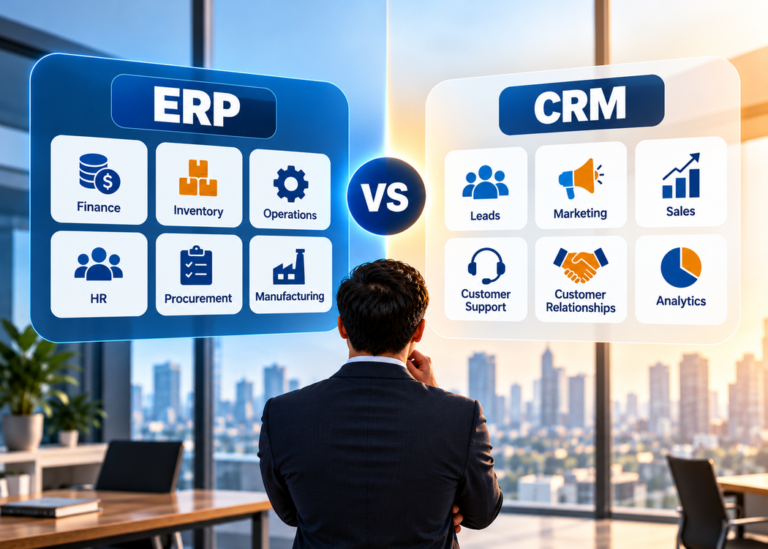
An enterprise resource planning (ERP) system unifies and automates a company’s core internal processes on one platform. IBM describes it as software that links departments such as accounting, procurement, production, and HR, which gives leaders real-time visibility into finances and operations. NetSuite traces ERP back to material requirements planning (MRP), a method manufacturers used to plan the resources they needed.
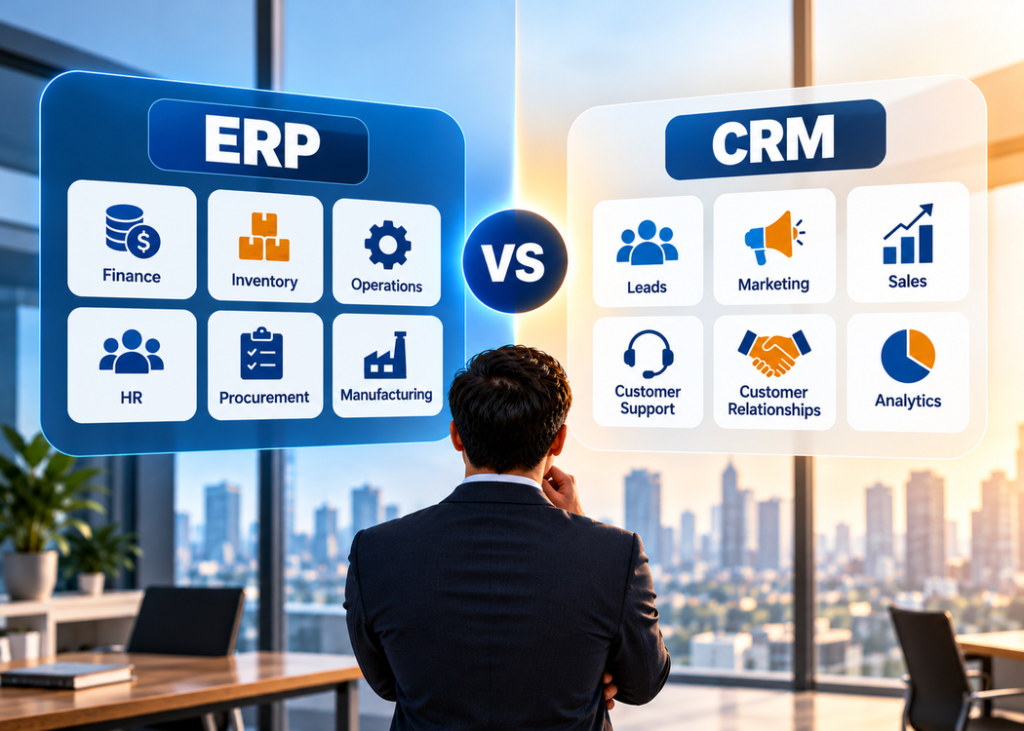
Core ERP modules
- Financial management: general ledger, accounts payable and receivable, budgeting, and reporting
- Supply chain, procurement, and inventory: purchasing, stock levels, and order fulfillment
- Human resources and payroll: employee records, payroll, and benefits
- Manufacturing and production planning: scheduling and resource use for product businesses
- Reporting and analytics: dashboards for cost, performance, and forecasting
- Compliance and risk: audit trails and internal controls
Who uses ERP
Finance, operations, supply chain, procurement, and HR teams use ERP most, according to IBM. Executives also lean on its reports to see company-wide performance.
Examples of ERP platforms
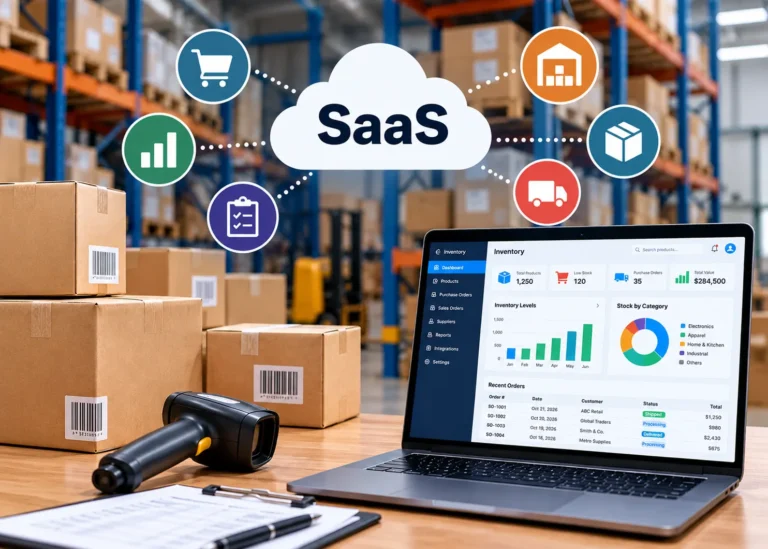
IBM names SAP S/4HANA and Oracle ERP Cloud as leading enterprise platforms. SAP also sells Business One and Business ByDesign for small and midsize companies, and NetSuite and Microsoft Dynamics 365 compete in the same market. Both cloud ERP and on-premises models exist, and many vendors now deliver ERP as SaaS.
What Is CRM?
Customer relationship management (CRM) software centralizes customer data and interactions so teams can sell, market, and support more effectively. NetSuite notes CRM began as sales force automation for sales departments, then expanded into customer service and marketing.
Core CRM features
- Contact and account management: profiles, communication history, and transaction data
- Sales pipeline management: lead tracking, opportunity stages, and forecasting
- Marketing automation: audience segmentation, campaigns, and engagement tracking
- Customer service tools: case management, ticket tracking, and self-service portals
- Analytics and reporting: conversion rates, retention, and campaign results
Who uses CRM
Sales, marketing, and customer support teams use CRM every day, per IBM.
Examples of CRM platforms
Salesforce, HubSpot, and Zoho are widely cited examples. Salesforce also appears among the real-life SaaS examples most teams already know. If you work in a niche, browse our CRM software category, including guides to CRM for property management companies and pharmaceutical CRM.
ERP vs CRM: Key Differences
The difference between ERP and CRM comes down to the data each one owns and the team that depends on it. This table summarizes what IBM, NetSuite, and SAP report, plus a few editorial additions for practical use.
| Factor | ERP | CRM |
| Primary purpose | Run internal operations and finance | Manage customer relationships and the sales pipeline |
| Office focus | Back office | Front office |
| Core data | Financials, inventory, orders, payroll, procurement | Contacts, leads, deals, interactions, support cases |
| Main users | Finance, operations, supply chain, HR | Sales, marketing, customer support |
| Typical modules | General ledger, AP/AR, inventory, procurement, HR, production | Contact management, pipeline, marketing automation, service |
| Business goal | Efficiency, cost control, accurate reporting | Customer acquisition, retention, satisfaction |
| Common buying trigger | Spreadsheets or entry-level accounting tools hold back growth | Customer data scatters across inboxes and spreadsheets |
| Cost and rollout | Higher price, more customization, longer rollout | Generally lower cost, faster rollout |
| Deployment | Cloud or on-premises | Cloud or on-premises |
| Reach across the company | Many roles in many departments | Mostly customer-facing teams |
| Needs from the other system | Customer and sales order data | Order history, invoices, credit status |
| Example KPIs (editorial) | Days to close the books, cost per order, stock accuracy | Pipeline value, conversion rate, retention |
| AI use cases | Report generation, demand and trend forecasting | Communication summaries, sales forecasting, behavior trends |
| Example vendors | SAP, Oracle NetSuite, Microsoft Dynamics 365 | Salesforce, HubSpot, Zoho |
What ERP and CRM have in common
Both systems centralize data, automate routine tasks, support reporting, and run as cloud or on-premises software. NetSuite and SAP also point out that both store and analyze data in a relational database. That overlap explains why buyers confuse them.
Where the Line Between ERP and CRM Is Blurring
Vendors disagree about where one category ends and the other begins. NetSuite and SAP both say some ERP suites include CRM modules, while CRM platforms do not include ERP components. NetSuite’s 2022 article goes further and says Salesforce is not an ERP because it does not handle transactional data. Salesforce’s own 2024 blog, last modified in October 2026, describes a Salesforce ERP that handles business operations and connects to its CRM. IBM adds that many cloud deployments embed CRM capabilities inside ERP platforms.
I do not take a side in that vendor debate. Instead, test any platform with one question: where do the order, invoice, and ledger entry live, and which system counts as the record when numbers disagree? A clear answer tells you what you are really buying.
Benefits of ERP
- One source of truth: A shared database for financial and operational data cuts duplicate entry and gives every department the same numbers, according to IBM and SAP.
- Faster financial close: NetSuite reports that companies using ERP have shortened monthly close from about a week to a few days. Treat that as a vendor-reported range, not a guarantee.
- Stronger financial controls: Role-based permissions limit who sees sensitive data and improve audit trails (NetSuite).
- Less manual work: Automation of invoice processing and inventory tracking reduces errors, per IBM.
- Room to scale: Cloud ERP can add locations, product lines, and regulatory requirements as a company grows (IBM).
Limits of ERP
- Cost and time: SAP says ERP carries a higher price tag and can take months or even years to implement.
- Customization: A broader scope means more configuration and more integration work.
- Maintenance: SAP notes ongoing upkeep, especially for on-premises deployments.
- People risk: The Mint Jutras survey (covered below) ties results to change management and process work, not only software.
Benefits of CRM
- Better customer retention: Visibility into customer issues and preferences helps teams respond early (IBM).
- A 360-degree customer view: Every team sees contact details, communication history, and purchases in one place.
- Higher sales productivity: Lead tracking, opportunity management, and automated follow-ups help reps focus on the right deals (IBM).
- More effective marketing: CRM data helps marketers target audiences and measure campaigns.
- Cross-team alignment: NetSuite gives a simple example: a rep learns about an open service ticket before a customer visit, and support sees a high-value caller right away.
Limits of CRM
- A partial picture: Without order, invoice, and credit data from an ERP, a CRM shows only part of the customer relationship (NetSuite).
- Add-on and integration costs: SAP notes costs climb when you need advanced features or large-scale integrations.
- No accounting backbone: CRM software does not replace a general ledger, payroll, or inventory system.
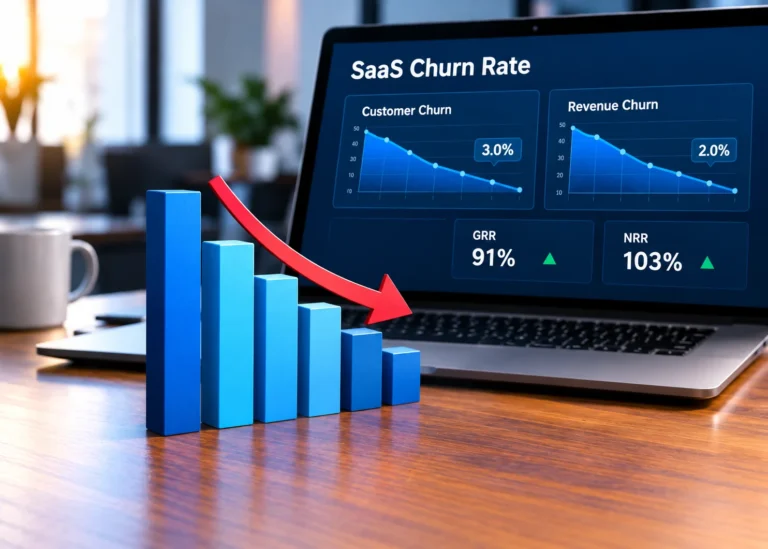
For churn and retention goals, pair CRM data with the metrics in our guides to SaaS churn rate and essential SaaS metrics.
Cost, Rollout Time, and Team Effort
Most competitor guides skip real numbers here, and public pricing for ERP is scarce. Here is what the sources support.
- CRM: SAP says CRM generally costs less and deploys faster because it needs less customization and fewer complex integrations. Many vendors sell it by subscription. HubSpot, for example, offers a free CRM tier and charges paid plans per seat. Published price trackers list different figures for the paid tiers, so confirm current prices on the vendor’s pricing page before you set a budget.
- ERP: SAP says ERP costs more because it manages many functions for many users and needs more customization. The NetSuite and SAP comparison pages I reviewed do not publish price lists, so request itemized quotes.
Budget in three layers: the license or subscription, the implementation (configuration, data migration, integration), and your people (training, administration, change management). The Mint Jutras survey found projects ran over budget mainly because of expanded scope, extra technology needs, and business changes during the project. Lock your scope early.
If you buy cloud software, understand the delivery model first. Our explainer on SaaS vs PaaS and our guide to SaaS pricing models show how subscription pricing works.
How ERP and CRM Work Together
ERP and CRM integration connects your front office to your back office so data flows both ways. IBM explains that a sales order created in CRM can trigger inventory checks, production planning, and invoicing in ERP. Here is a simple quote-to-cash flow:
- Lead and opportunity: Sales tracks the prospect in CRM.
- Quote: A configure, price, quote (CPQ) tool pulls pricing and product data from both systems, as NetSuite points out.
- Order: The signed deal becomes a sales order that passes to ERP.
- Fulfillment and invoice: ERP checks stock, schedules delivery, and bills the customer.
- Payment and history: Order and payment status flow back to CRM so sales and support see the full picture.
Four ways to connect ERP and CRM
| Approach | Best for | Watch out for |
| Combined suite (ERP with built-in CRM) | Teams that want one data model and one vendor | CRM depth may trail a dedicated platform (SAP) |
| Prebuilt connector | Popular vendor pairs | NetSuite warns connectors can be expensive and hard to maintain after upgrades |
| Middleware or integration platform | Mixed vendors and several apps | Added tool cost, plus ownership of mappings and errors |
| Custom API integration | Unique workflows | Developer time and ongoing maintenance (editorial) |
Common integration problems
SAP lists four hurdles: data compatibility, data migration, system configuration, and user adoption. Its best practices start with clear objectives, a deliberate integration approach, and a data audit before you connect anything. Then involve stakeholders from IT, sales, finance, and service, test in a controlled environment, and keep training users after launch.
IBM lists the payoff: end-to-end visibility from lead to payment, better forecasting, faster response times, and one repository for shared records.
Which One Should You Choose?
NetSuite and SAP both say nearly every growing company ends up needing both systems. The real question is which one to buy first. The guidelines below combine their advice with editorial judgment.
By company stage
- Solo founder or early startup: Start with CRM. IBM suggests smaller companies often begin with CRM to drive sales, then add ERP as operations expand. Use basic accounting software until finances get complex.
- Small business: Keep CRM at the center and watch for the point where spreadsheets block your close or your inventory. NetSuite says that is the usual trigger for ERP.
- Mid-market company: Plan for both. Compare a combined suite against a best-fit pair joined by integration.
- Enterprise: IBM says larger or more complex organizations often need both from the start.
By business model
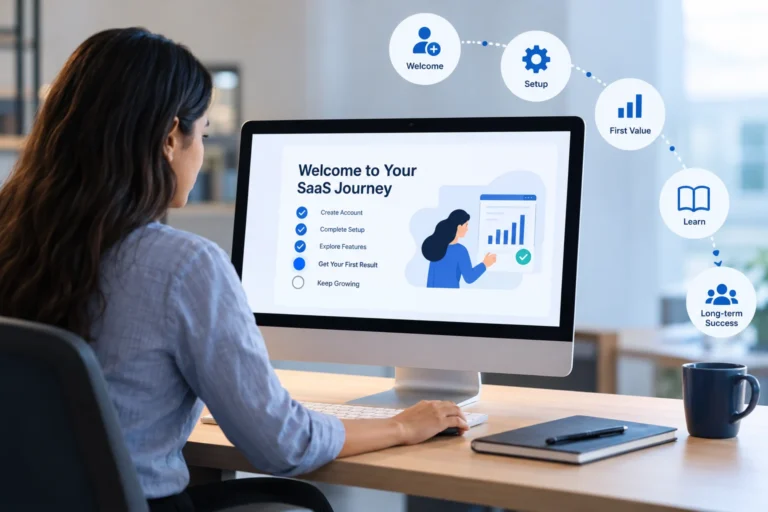
- SaaS company: Start with CRM for pipeline, renewals, and customer health. Billing and revenue recognition sit on the finance side: NetSuite lists subscription billing and revenue recognition among its ERP finance modules. Read our guides to SaaS billing management software and customer onboarding before you decide.
- Retail, ecommerce, and distribution: Inventory and order management push ERP earlier. See our roundup of SaaS inventory management software.
- Manufacturing: ERP usually comes first because production planning and materials drive cost.
- Services and agencies: CRM usually comes first, with accounting added early and ERP later if the business grows complex.
Example: Choosing ERP and CRM for a Growing SaaS Company
Consider a growing SaaS company that needs to manage leads, subscription renewals, billing, and financial reporting. Its CRM helps the sales team track prospects, manage opportunities, and monitor customer renewals. Meanwhile, accounting software or an ERP system handles financial records, invoices, and revenue recognition, depending on the company’s requirements.
As the company grows, integrating these systems helps sales and finance teams access consistent information. Sales representatives can check subscription status, while finance teams manage invoices and financial reports. The right setup depends on the company’s size, billing complexity, budget, and existing software.
NetSuite offers one more rule of thumb: a company with a few high-value customers and complex finances may buy ERP first, while a company with simple finances and many customers may buy CRM first.
The 8-Question ERP vs. CRM Scorecard
Choosing between ERP and CRM software depends on your business priorities, operational complexity, budget, and existing technology. Use the following questions to identify which system may deserve attention first.
Answer each question with yes or no.
- Do spreadsheets or basic accounting tools make financial reporting and month-end closing difficult?
- Do you manage inventory, procurement, or multi-step production processes that require better coordination?
- Do you frequently lose leads, miss follow-ups, or struggle to manage customer relationships?
- Does your sales team need real-time access to order status, invoices, inventory, or customer credit information?
- Do you operate across multiple business entities, currencies, warehouses, or locations?
- Do you manage a large customer base across multiple sales, marketing, or support channels?
- Do multiple systems store conflicting customer, order, inventory, or financial information?
- Do you have the budget, internal resources, and staff availability to implement and maintain a new business system?
How to Interpret Your Answers
- Consider ERP first: If questions 1, 2, or 5 reflect major business challenges, evaluate ERP solutions that can improve financial control, inventory management, procurement, and operational visibility.
- Consider CRM first: If question 3 or 6 reflects your main challenge, prioritize CRM software to organize customer information, improve follow-ups, and manage sales activities.
- Evaluate integration or a combined platform: If questions 4 and 7 are particularly relevant, consider how ERP and CRM can share accurate information. A combined platform may also be suitable if it meets both teams’ requirements.
- Assess implementation readiness: If you answer no to question 8, consider a simpler solution or a phased implementation before committing to a complex system.
Important Considerations Before Making a Decision
This scorecard is a practical starting point, not a standardized industry assessment. A yes answer does not automatically mean you need ERP or CRM. For example, a small retailer with straightforward inventory needs may be well served by its existing inventory and accounting tools, while a manufacturer with complex production and supply chain requirements may need ERP much earlier.
Before choosing a platform, compare your total budget, business processes, existing software, integration requirements, security needs, and plans for growth. Request demonstrations using your actual workflows, and assess whether the system solves your most important problems without adding unnecessary complexity.
Six Mistakes to Avoid
- Buying ERP to fix a sales problem, or CRM to fix a finance problem. Match the tool to the pain.
- Skipping goals. The Mint Jutras survey highlights setting goals before a project starts.
- Underestimating change management. The same survey ties success to people and process work.
- Treating integration as an afterthought. Decide which system owns which data on day one.
- Importing messy data. SAP recommends auditing and cleaning data before integration.
- Accepting vendor claims without testing them. Ask where the order, invoice, and ledger live, then see it in a demo.
How AI Is Changing ERP and CRM in 2026
AI is becoming a key component of both ERP and CRM systems, according to IBM. Generative AI helps both systems write reports, summarize communications, and generate insights, while predictive models spot trends in sales, demand, and customer behavior. IBM also cites its own survey data: by 2026, 85% of executives believe their workforce will make real-time, data-driven decisions with AI agent recommendations.
AI works best on clean, connected data. Duplicate customer records or mismatched order data will weaken any agent. Before you pay for AI features, ask each vendor which ones are generally available today and which are on a roadmap.
Do ERP Failure Statistics Hold Up?
Many articles claim most ERP projects fail. The evidence is more mixed.
- Higher failure claims: Godlan, a manufacturing ERP partner, publishes a 2026 page that cites a 68% industry average failure rate and 73% for discrete manufacturing. The page gates its full methodology behind a report.
- Lower failure claims: A Mint Jutras survey of more than 300 North American manufacturers and distributors, published in 2019, found 67% rated their implementations successful or very successful.
The gap comes from definitions, sample, and age. Each source also sells services, which gives it a stake in the story. The two sources still agree on one thing: people, process, and planning decide outcomes. The Mint Jutras report names inadequate process re-engineering and inadequate project planning as common causes of weak results.
Treat any single failure percentage with caution, and ask what counts as failure, who was surveyed, and when.
FAQ
What is the main difference between ERP and CRM?
The main difference is focus. An ERP system runs the back office, covering finance, procurement, inventory, HR, and operations in one shared database. CRM software runs the front office, covering leads, sales pipelines, marketing, and customer service. ERP manages how a company operates internally, while CRM manages how it attracts, serves, and keeps customers.
Is Salesforce an ERP or a CRM?
Salesforce is best known as a CRM platform that helps businesses manage customer information, sales pipelines, marketing, and customer service. It can integrate with ERP systems to connect customer-facing activities with finance, inventory, and order management. Check the specific product’s capabilities and integration requirements before choosing a solution.
Can a CRM replace an ERP?
No. CRM software does not cover general ledger, payroll, procurement, inventory, or production planning, so it cannot replace an ERP system. SAP states the two are not interchangeable, and NetSuite notes CRM platforms do not include ERP components. A CRM can pull order or invoice data from an ERP through integration, but the ERP stays the system of record.
Can an ERP replace a CRM?
Not fully. Some ERP suites include CRM modules, according to NetSuite and SAP, which can cover basic needs. Dedicated CRM software usually goes deeper on large customer bases, multiple engagement channels, and long-term account management. SAP says cloud ERP cannot replace a CRM solution. If sales and marketing drive your growth, evaluate a dedicated CRM alongside your ERP.
Which should a startup or small business buy first?
Many early-stage and small businesses start with CRM. IBM notes a smaller company might start with CRM to drive sales growth, then add ERP as operations expand. SAP says CRM is generally cheaper and easier to implement. Exceptions exist: if you have complex finances and few high-value customers, NetSuite says ERP may come first.
Do I need both ERP and CRM?
Most growing companies eventually need both, either as separate systems or one combined platform. SAP and NetSuite both make this point. ERP handles finance and operations, while CRM handles customer relationships. If your sales team needs order history and your finance team needs closed deals, you have reached the point where both systems should share data.
How much do ERP and CRM systems cost?
Costs vary widely. SAP says CRM is generally cheaper and often sold by subscription, while ERP carries a higher price tag and more customization and maintenance. Some CRM vendors, such as HubSpot, publish per-seat plans and offer a free tier. ERP pricing depends heavily on modules, users, and customization, so request itemized quotes covering licenses, implementation, training, and integration.
How long does ERP or CRM implementation take?
It depends on size and complexity. SAP says CRM deploys faster and needs less customization, while ERP implementation can take months or even years because it connects multiple departments and systems. Plan for data cleanup, testing, and training in both cases, since the Mint Jutras survey tied success mainly to people, process, and change management.
How do you integrate ERP and CRM?
Start by defining which data each system owns, such as customers, orders, invoices, and inventory. Then choose an approach: a combined suite, a prebuilt connector, middleware, or custom integration. Clean your data first, test in a controlled environment, and train users. SAP lists these steps among its integration best practices, and NetSuite warns connectors can be costly to maintain.
How is AI changing ERP and CRM?
Vendors are embedding AI assistants and task-specific agents into both systems. Some ERP and CRM products already let agents respond to data changes and start workflows in real time. IBM notes AI can summarize communications, write reports, and flag trends. These tools depend on clean, connected data, so integration quality matters more.
Conclusion
The ERP vs CRM choice is simpler than the vendor marketing makes it. ERP runs your finance and operations, CRM runs your customer relationships, and most growing companies eventually need both. Start where your pain is sharpest, define which system owns which data, and plan integration early.
Your next step: run the 8-question scorecard, list your top three bottlenecks, and request demos that show the quote-to-cash flow in real time. Then compare the integration options before you sign anything.