
Gartner published its 2026 Magic Quadrant for Document Management on April 28, 2026, and it placed 16 vendors on the chart. That count shows how crowded the SaaS document management software market has become, and how different the products are from one another.
Most buyers start with the same problem. Files sit in five places, nobody can tell which version is current, and an audit request turns into a week of digging. A cloud document management system fixes that, but the right choice depends on what you need. Some teams want a better shared drive. Others need a records system for regulated work, or an invoice engine with storage attached.
How I evaluated these platforms
I reviewed each vendor’s public product pages, the features and compliance claims they publish, and any independent recognition I could find, such as analyst reports and review platforms. I did not test the products or speak with their customers, so unless I note otherwise, every capability below comes from the vendor. Where a claim has outside support, I point to it. Prices appear only where a public figure exists.
What is SaaS document management software?
SaaS document management software is a cloud-hosted system that stores, versions, shares, and controls business documents through a web browser or app. The vendor runs the servers, applies updates, and handles backups. Your team sets the rules: who can open which files, how approvals move, and how long records must be kept.
Most products follow a few core ideas. Files live in a central repository instead of on individual laptops. Every change creates a new version, so people can see who edited what and restore an older draft when needed. Metadata such as customer name, contract date, or invoice number makes files searchable without relying on folder paths. Many platforms also add e-signature, automated approval routing, and an audit trail that logs every view and edit.
Pricing usually follows a subscription model, often charged per user or by document volume. That model lets small teams start with a few seats and expand as their archive grows, though costs can climb quickly if every employee needs access.
What a good SaaS document management platform should do
Before comparing vendors, it helps to know which features matter. Most of the differences between these products come down to four areas.
Version control and approvals
Good version control keeps every revision and lets people roll back to an earlier draft. Approval routing stops unfinished drafts from reaching the wrong people.
Access control and audit trails
Role-based access limits who can view, edit, or delete a file. An audit trail records who touched a document and when, which becomes critical during compliance reviews.
Search and metadata
Metadata tags turn folders into searchable records. Without a tagging plan, search gets slower and less reliable as the archive grows.
Workflow and e-signature
Automated routing moves contracts and invoices through approval steps. Built-in e-signature removes the print, sign, and scan cycle that slows most approvals.
The five best SaaS document management software options
1. Microsoft SharePoint: best for Microsoft 365 companies
SharePoint works as a document management system inside Microsoft 365. Its document libraries offer version history, content approval, metadata, permissions, and co-authoring in Word, Excel, and PowerPoint. Files sync to OneDrive and open inside Teams, which makes adoption easier for teams already living in Microsoft tools. Microsoft’s documentation describes these as core document management features.
Strengths:
- Most organizations already pay for it through their Microsoft 365 subscription.
- Co-authoring and Teams integration feel familiar to most users.
- Retention settings and permissions come built in.
Limits:
- SharePoint does not enforce good habits on its own, so teams need governance rules and careful configuration. One 2026 Microsoft 365 guide puts it this way: the features exist, but SharePoint won’t make anyone use them consistently.
- It lacks a dedicated records-management interface, which regulated teams often need.
Pricing: SharePoint comes bundled with Microsoft 365 and is not sold alone. Reports from July 2026 put Microsoft 365 Business Standard at $14 per user per month on annual billing, up from $12.50. Check Microsoft’s current price list before budgeting, because regional prices and reseller deals vary. If you plan to add seats gradually, our SaaS license management guide explains how to track who uses what.
2. DocuWare: best for invoice-heavy and workflow-driven teams
DocuWare pairs document storage with workflow automation and AI-based data capture. Its use cases include invoice processing, contract management, quality management, and employee files. It supports cloud, on-premises, and hybrid deployment, and it integrates with Microsoft Teams, Outlook, and SAP.
DocuWare says Gartner named it a Challenger in the 2026 Magic Quadrant for Document Management. Gartner’s own abstract confirms that DocuWare is covered in that research, so the claim is checkable. The company also says it serves more than 21,000 customers, a figure I could not verify independently.
Strengths:
- Teams can choose cloud, on-premises, or hybrid deployment.
- Its accounts payable tools focus on invoice capture and e-invoicing.
- The company markets transparent licensing aimed at smaller businesses.
Limits:
- Pricing is not published on the homepage, so you need to request a quote.
- A broad feature set can mean a learning curve for teams that only need basic storage.
If invoices and approvals sit next to your financial systems, our ERP vs CRM comparison explains how those tools divide the work, which helps you decide where the document system should plug in.
3. Accruent Meridian: best for engineering and regulated operations
Meridian is an engineering document management system (EDMS). It centralizes drawings and technical documents, controls revisions, runs configurable workflows, and keeps audit trails. Accruent lists support for FDA 21 CFR Part 11, GMP Annex 11, and ISO 55000, and it offers Meridian Cloud for Life Sciences as a validated SaaS version.
Strengths:
- It fits plants, utilities, and pharmaceutical operations that depend on drawing control.
- It integrates with enterprise asset management, ERP, and Microsoft Office.
- Review platforms including Capterra and GetApp list user reviews for it, though I did not analyze them.
Limits:
- The product targets engineering content, so general office documents may feel like overkill.
- Pricing is quote-based, and the homepage calculators require a sales conversation.
4. Enadoc: best for paper-heavy finance and public sector teams
Enadoc offers a DMS alongside an e-signature product, Evia Sign, and a workflow tool, Flowdoh. The site positions its platform for banking, manufacturing, and public sector clients. Enadoc says it offers on-premises deployment with APIs and aligns with ISO 27001 standards. Its site lists customer markets across the Philippines, Maldives, Sri Lanka, Bangladesh, Nepal, Brunei, Indonesia, Belgium, and the United Kingdom.
Strengths:
- On-premises deployment suits organizations that must keep records in-house.
- E-signature sits alongside document management, so approvals stay in one place.
- The company publishes a clear focus on audit readiness.
Limits:
- Enadoc is not purely cloud-based, so confirm the deployment model if you need a pure SaaS product.
- I found few independent reviews, so ask for references in your own market.
- Public pricing was not available, so you need a quote.
5. dMACQ: best for Indian enterprises that need local data residency
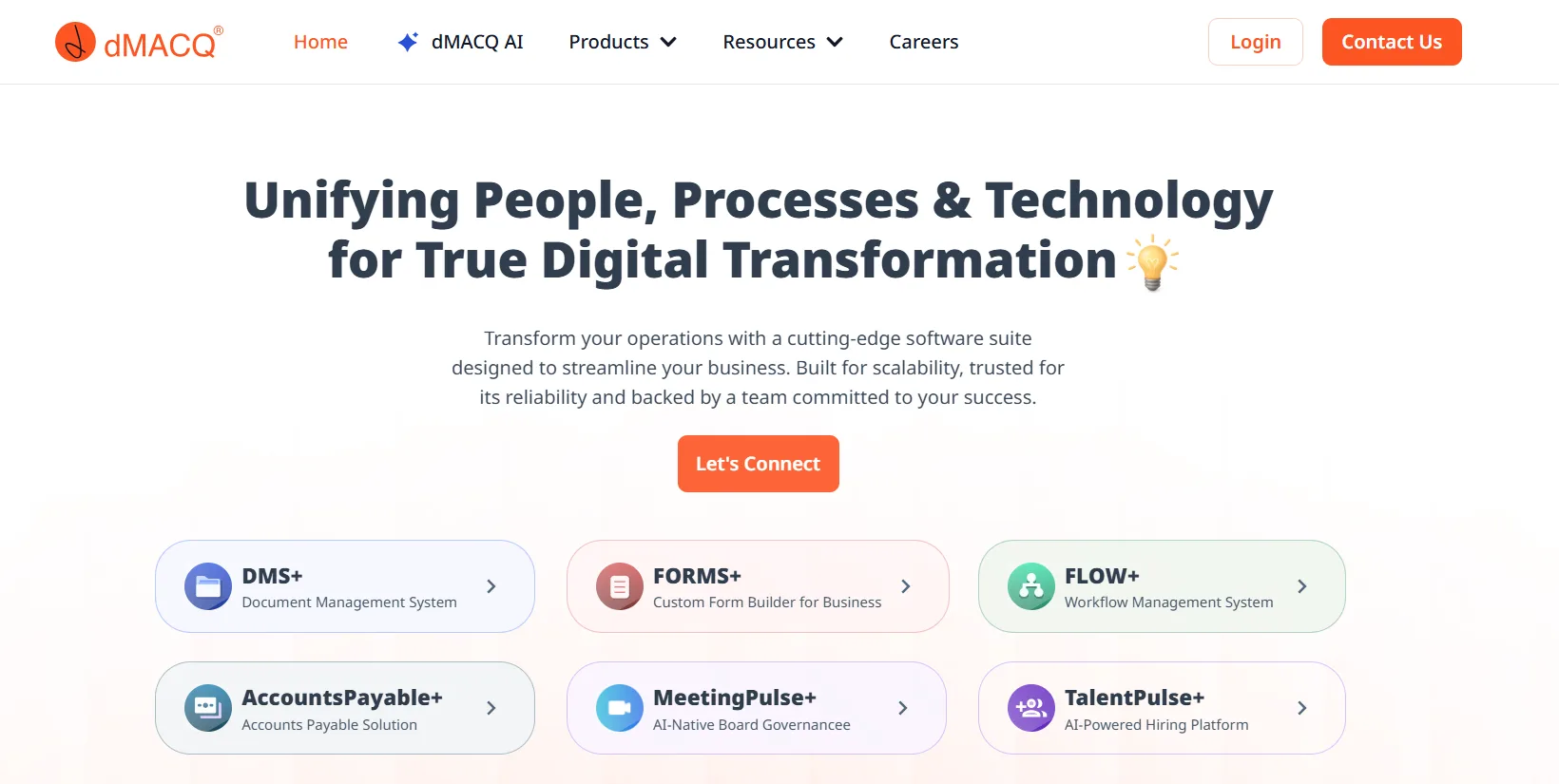
dMACQ is headquartered in Mumbai and bundles its DMS+ product with forms (FORMS+), workflow automation (FLOW+), and scanning and indexing (DIGI+). The site lists SOC 2, ISO 27001, and DPDP compliance, plus India data residency, field-level masking, and immutable audit trails. It offers REST APIs and single sign-on, and it supports on-premises, private cloud, or hybrid setups.
Strengths:
- Forms and workflow come bundled with document storage, which reduces tool sprawl.
- India data residency suits companies with local storage requirements.
- Its scanning product converts paper archives into searchable records.
Limits:
- Most of the proof on its site comes from its own case studies and testimonials, which I could not verify independently.
- Pricing is not published, so request a quote.
- The product’s market focus is India, so confirm overseas support before you buy.
Comparison table
| Platform | Best for | Deployment | Standout strength | Main limit | Public pricing |
| Microsoft SharePoint | Microsoft 365 teams | Cloud, inside Microsoft 365 | Built into Office and Teams | Needs governance setup | Bundled. Business Standard at $14 per user per month |
| DocuWare | Invoice and workflow-heavy teams | Cloud, on-premises, hybrid | AI capture and accounts payable automation | Learning curve for basic needs | Quote-based |
| Accruent Meridian | Engineering and regulated operations | Cloud and hybrid | Drawing and revision control | Too specialized for general documents | Quote-based |
| Enadoc | Paper-heavy finance and public sector | On-premises with APIs | DMS plus e-signature | Few independent reviews | Quote-based |
| dMACQ | Indian enterprises needing local data residency | On-premises, private cloud, hybrid | Forms, workflow, and scanning in one suite | Limited independent proof | Quote-based |
How to choose without overbuying
Start with your riskiest document type. If audits drive your decision, test the audit trail and retention rules first. If invoices cause the most delays, test the capture and approval steps with a real month of invoices.
Run a pilot with one department before you commit company-wide. Ask each vendor for a sandbox, then check three things during the trial: whether search finds files quickly, whether permissions behave the way you expect, and whether approvals move without manual follow-up.
Ask one question that many buyers skip: how do you get your data out? Confirm that you can export every file, its version history, and its metadata in a standard format. That answer matters more than any feature list if you ever switch vendors.
Common mistakes to avoid
- Buying a records system for simple file sharing. A specialized platform adds cost and training time that a small team may never use.
- Skipping the metadata plan. Without consistent tags, search returns noise, and the system loses its value within months.
- Ignoring seat costs. Per-user pricing grows quickly when contractors, interns, and occasional users all need access.
- Migrating everything at once. Move one department first, then expand after you fix the naming and permission problems.
Frequently asked questions
1. What are the benefits of using SaaS document management software?
SaaS document management software helps businesses store, organize, access, and share documents from a centralized cloud platform. It reduces manual paperwork, improves collaboration, simplifies version tracking, and supports automated approval workflows.
2. What is the difference between cloud document management and traditional document management?
Cloud document management stores files on remotely hosted infrastructure that users can access through the internet. Traditional document management often relies on locally installed systems or on-premises servers, requiring businesses to manage more of their own infrastructure and maintenance.
3. Is SaaS document management software suitable for small businesses?
Yes. Small businesses can use SaaS document management platforms to organize contracts, invoices, employee records, and other important files. Subscription-based pricing also allows them to start with fewer users and expand as their requirements grow.
4. How secure is cloud-based document management software?
Security depends on the provider and its configuration. Common protections include encryption, multi-factor authentication, role-based access controls, audit logs, and backup systems. Businesses should review security certifications and data protection policies before selecting a platform.
5. Can SaaS document management software automate business workflows?
Yes. Many platforms support automated document routing, approval notifications, invoice processing, contract reviews, and electronic signatures. These features help reduce repetitive administrative work and improve document processing efficiency.
6. What integrations should I look for in a document management system?
Look for integrations with commonly used business applications, including Microsoft 365, Google Workspace, CRM platforms, ERP systems, accounting software, and collaboration tools. The right integrations depend on your existing business processes.
7. Can multiple employees edit the same document simultaneously?
Yes. Platforms such as Microsoft SharePoint support real-time co-authoring, allowing multiple employees to collaborate on supported documents. Other platforms may offer document check-in, check-out, or controlled editing workflows.
8. What should businesses consider before migrating documents to a SaaS platform?
Businesses should review existing files, remove unnecessary duplicates, organize folder structures, define access permissions, and check migration options. Testing a small document collection before moving the entire archive can help identify potential problems.
9. Does SaaS document management software support regulatory compliance?
Some platforms provide features that support compliance requirements, including retention policies, audit trails, access controls, and document version histories. However, software alone does not guarantee compliance. Businesses must verify that the platform meets their specific regulatory and operational requirements.
10. How do I choose between SharePoint and dedicated document management software?
SharePoint is suitable for organizations already using Microsoft 365 that need document collaboration, version control, and access management. Dedicated platforms such as DocuWare and Meridian may be more suitable for specialized requirements involving invoice automation, engineering documents, and controlled workflows.
Conclusion
No single product wins every team. SharePoint makes sense if you already run on Microsoft 365 and can invest in governance. DocuWare suits invoice and workflow-heavy operations, while Meridian serves engineering and regulated environments that need drawing control. Enadoc and dMACQ fit organizations in the markets they serve, especially where on-premises or local data residency matters.
Start with the document problem that costs you the most time or risk, then test two products against that problem before you sign a contract. A short pilot will tell you more than any comparison table, including this one.